

Source & Target#
Every Event runs with two game object references that provide its context. Source identifies where the logic lives, while Target identifies the other object involved. These references let one Event handle objects you haven't assigned in advance.
Both names appear near the top of every Game Object Signal dropdown:
| Name | Refers to |
|---|---|
| Source | The game object holding the Event that's running. |
| Target | The other object involved. |
Why it matters#
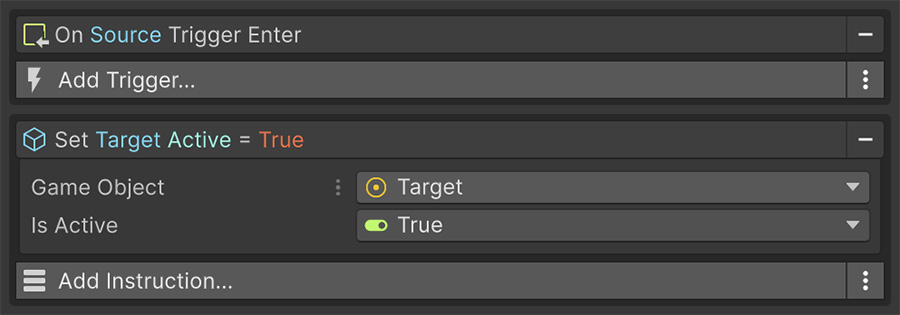
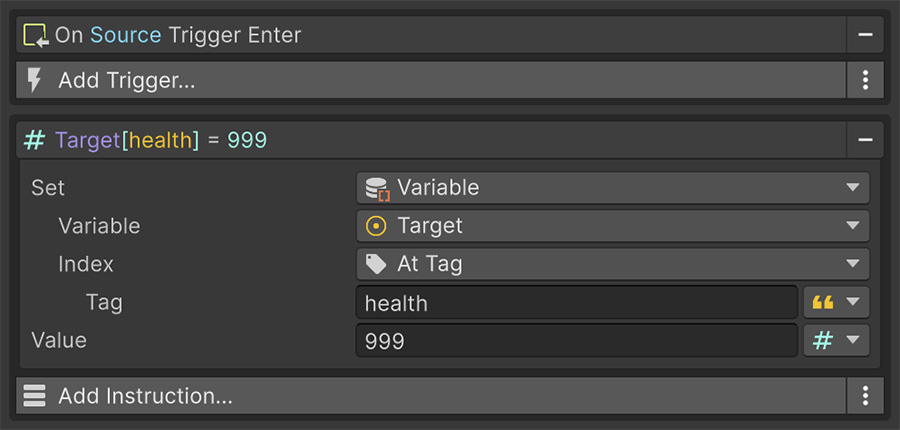
Consider a checkpoint that heals whoever touches it. On Trigger Enter sets Target to the character that entered, and the healing Instruction points at Target. One Event can then handle every character that enters the checkpoint.
Here, healing sets the health variable to 999. The Event works for the player, an NPC, or a character created after the checkpoint.
Source is where the logic lives#
Source is the game object that owns the Event component. When a Trigger fires, Source remains the owning object regardless of what caused the Trigger to fire.
This holds even when a Trigger is watching a different object. If your Event sits on an empty Launcher object and its Trigger watches a cube, Source is still Launcher. The cube is Target.
Source is not the object that caused the event
A mouse Trigger watching a cube sets Target to the cube, while Source remains the object holding the Event.
Use Target to read or change the object that was clicked.
Target is whatever else is involved#
The Trigger supplies Target, which represents the other object involved in the event.
| Trigger | Target is |
|---|---|
| On Trigger Enter / Stay / Exit | The object that entered, stayed or left. |
| On Collision Enter / Stay / Exit | The other object in the collision. |
| On Mouse Click / Down / Up / Enter / Exit / Over / Drag | The object that was clicked or hovered. |
| On Start, On Update, On Late Update, On Fixed Update | The object the Trigger is watching. |
| On Become Visible / Invisible | The object the Trigger is watching. |
| On Enable, On Disable, On Destroy | The object holding the Event. |
| Input and application Triggers | The object holding the Event. |
When a Trigger has no other object to supply, Target falls back to the object holding the Event. A Signal pointed at Target then reads that object.
Running an Event directly#
When code or another Instruction runs an Event, Source and Target default to the Event's own game object. The caller can supply different objects.
The context flows downward#
When an Instruction contains a nested list, that list receives the same context. For example, an If inside a Foreach reads the loop's Target.
Foreach is the one Instruction that deliberately changes the context: on each pass it sets Target to the current item, when that item is a game object or component. When the loop ends, the previous value is restored.
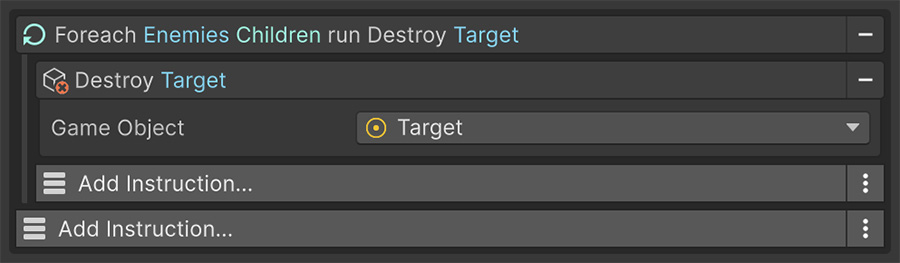
Nothing else rewrites Target
Foreach is the only Instruction that changes the context. Instructions that produce an object, such as Find by Name and Instantiate, write it through a Set Signal, so you choose where it goes.
The destination is usually a variable that later Instructions read. This extra field makes the reference's owner explicit instead of changing Target implicitly.
Loop parameters#
Inside a Foreach, three extra values join the context:
| Parameter | Is |
|---|---|
| Item | The current entry, of whatever type the collection holds. |
| Index | Its position, starting at 0. |
| Count | The total number of entries. |
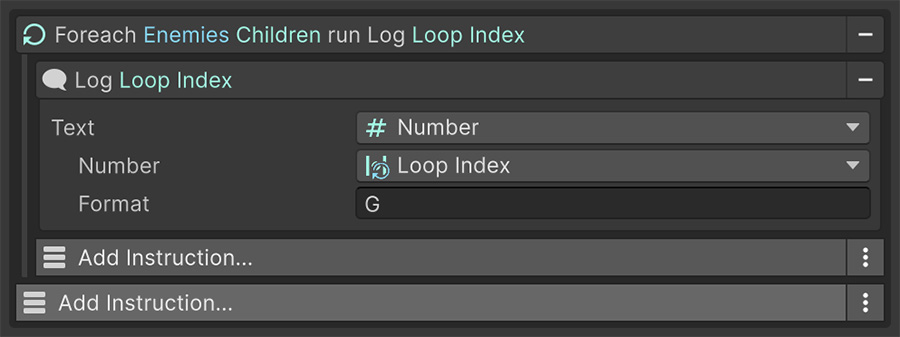
They're scoped to the loop. The Signal dropdown only offers them to Instructions nested inside a Foreach.
Prefer context for reusable Events#
Use Target instead of a specific object reference when the Trigger already provides the object you need. The Event can then run for each prefab instance without a separate reference.
Where to go next#
- Game Object Signals — resolve objects beyond Source and Target.
- Control flow — see how Foreach changes context for each item.
- Args — pass the same context through the C# API.