

Local Variables#
A Local Variable is a component that stores values on a specific game object. Use it for state that each object needs to own independently, such as health or a door's locked state.
Add it with Add Component → Visual Script → Local Variable.

Each game object can have one Local Variable component
A game object can only have one Local Variable component. If you need more entries, add them to the existing one or to child game objects.
Adding entries#
Select Add Variable… to add an entry, then choose its type. You can also give it a Tag.
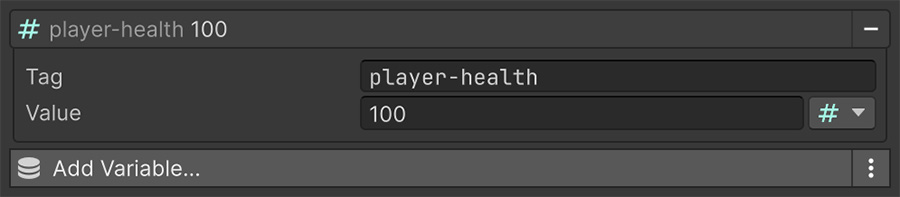
A tag lets a Signal select one entry without depending on its position. Use stable names such as player-health and is-door-open for named state. Leave the tag empty when the entry is one item in a sequence.
Drag entries to reorder them. Signals that select by position then point at whichever entry occupies that position. Use a unique tag when a Signal needs to keep selecting the same entry after reordering — see Variables as lists.
One per instance#
When you instantiate a prefab with a Local Variable component, each copy gets independent values.
Local state keeps enemy health independent
Add a health entry to the enemy prefab's Local Variable component, then spawn several enemies. Each instance has its own health, so damaging one doesn't change the others' values. You don't need to configure each instance separately.
A Global Variable per enemy would require separate project state for every instance.
Reaching it from elsewhere#
To read a Local Variable through its game object, first choose the object, then choose the entry. You can also use a direct reference to the component.
The object comes from the usual context:
| Source | Is |
|---|---|
| Source | The variables on the object holding the Event. |
| Target | The variables of whatever the Trigger involved. |
| Game Object | The variables of an object you point at, or one located at runtime. |
| Variable | A direct reference to a specific component or asset. |
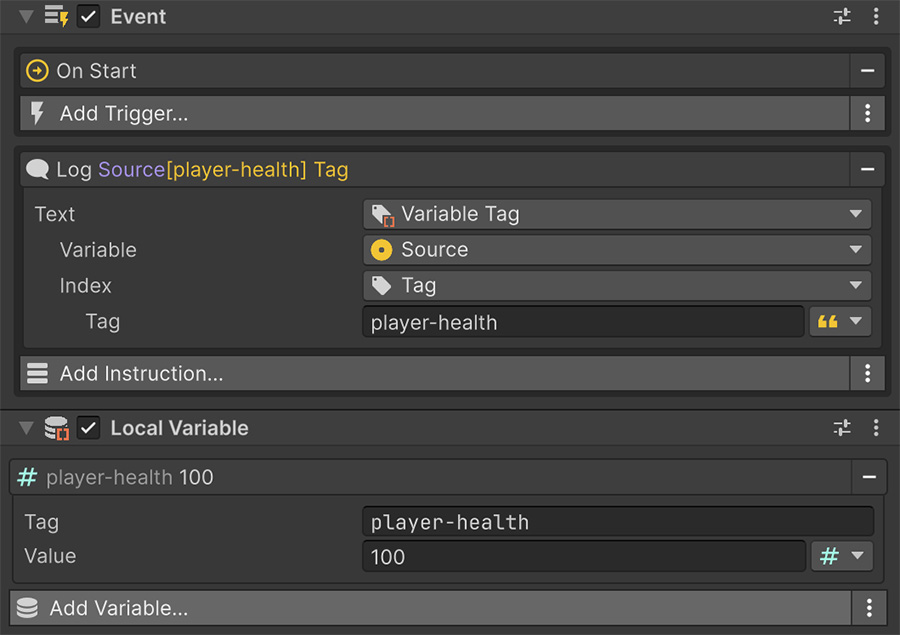
Use Source or Target when the Event already has the object you need. For example, reduce the health of whatever I hit points at Target and its player-health entry. The same Instruction works for any target with that entry.
Finding variables by tag#
While the component is enabled, it registers each non-empty tag in a game-wide table. Global Variables register their tags in the same table at startup.
The Variables with Tag collections read that table. Choose a tag and the collection gathers the first value from every container registered under it.
The collection contains values from the matching containers. Use it when several objects each have a Local Variable with one entry and share the same tag.
For example, give the enemy prefab one entry tagged enemy that stores the enemy's game object. Game Object Variables with Tag then gathers every enabled enemy without a separate list.
It reads the first entry, not the matching one
The tag selects which containers take part; the value always comes from index 0. In a container with several entries, the tagged entry may be at a different index. Keep these containers to a single entry, or select the tagged entry through its game object instead.
There's no Signal that resolves a tag to one variable somewhere in the scene. When you want a specific object's entry, go through the object.
Lifecycle#
The component copies values and registers tags at these lifecycle points:
| Moment | What happens |
|---|---|
| Awake | Entries are copied from their authored values. |
| Enable | Tags are registered for lookup. |
| Disable | Tags are unregistered. |
| Destroy | Values are gone. |
Because Awake copies the authored entries, changing values at runtime doesn't modify the prefab or scene file.
Saving#
To save Local Variables, add a Remember component with the Local Variable memory. See Memories.
Without that, values reset every time the scene loads.
Where to go next#
- Global Variables — store state shared across the project.
- Variables as lists — use an entry list as a collection.
- Save & Load — persist local values between sessions.