

Functions#
Summary
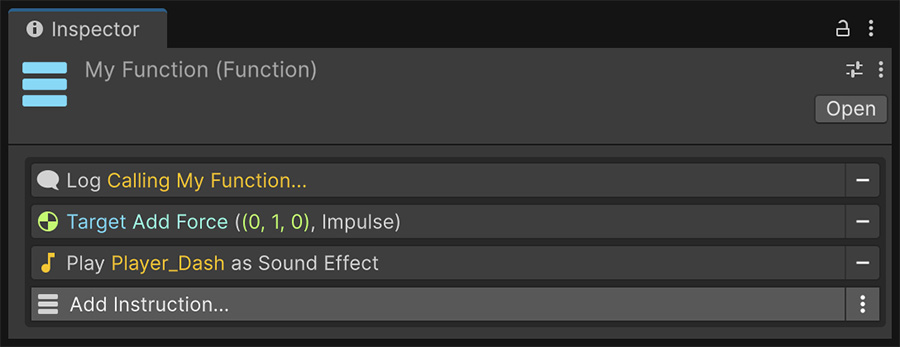
A Function is an asset that holds a list of Instructions you can run from any Event, in any scene. Write a sequence once, call it from everywhere it's needed, and when the design changes, edit it in one place instead of hunting down every copy.
What Functions solve#
Games repeat themselves. Every coin, gem, and key plays a sound, spawns a sparkle, and disappears when the player touches it. If each pickup's Event holds its own copy of those Instructions, changing the sparkle means opening every one of them, and missing one leaves a pickup that behaves differently from the rest.
A prefab only helps when the objects are the same thing. A coin and a key are usually different prefabs, so each still ends up with its own copy of the Event.
A Function moves the sequence into one asset. Each Event then needs a single Run Function Instruction, and every caller picks up your changes the next time it runs.
The core idea#
Three parts work together:
| Part | Is | In the pickup example |
|---|---|---|
| Function | An asset that holds the Instructions. | Collect Pickup |
| Run Function | The Instruction that starts a Function from an Event. | Added to each pickup's Event. |
| Source and Target | The game objects the Function works on, passed in by the caller. | The pickup and the player who touched it. |
A Function doesn't know who called it. Its Instructions point at Source and Target, so the same asset works on whichever objects it receives.
One sequence for every coin, gem, and key
- Create a Function named
Collect Pickup. - Add Play Sound Effect, then Instantiate from Pool with the sparkle prefab at Source Position, then Destroy pointed at Source.
- On each pickup prefab, add an Event with an On Trigger Enter Trigger and one Run Function Instruction pointed at
Collect Pickup.
Each pickup passes itself as Source, so the sound and sparkle appear where that pickup was. To change the sparkle everywhere, edit the asset once.
Functions or Events#
An Event can also be run by another Event, using Run Event. The difference is where the logic lives and what it can reach:
| Property | Function | Event |
|---|---|---|
| Is a | Asset in the project | Component on a game object |
| Starts when | Something runs it | One of its Triggers fires, or Run Event runs it |
| Can be run from | Any Event in any scene | Events that can reference that component |
| Works on | The Source and Target it receives | Its own game object, plus Target |
Use an Event when the logic belongs to one object and reacts to something happening. Use a Function when the same sequence is needed in several places, especially across different prefabs or scenes.
Try it#
- Build the pickup example with two different prefabs. Change the sound in the asset once, and hear it change on both.
- Add a Wait for Seconds to a Function, turn off Await on the Run Function Instruction, and put a Debug Log Text after it. The message appears before the Function ends.
- Point the Target field of Run Function at a different object, and watch the same Function act on it.
- Trigger the same Function from two Events at once. Each run keeps its own place in the list.
Where to go next#
- Installation — add the module to your project.
- Creating a Function — build the asset and write Instructions that work on any caller's objects.
- Running a Function — pass game objects in, and choose whether the caller waits.
- Source & Target — learn how Events supply the context a Function receives.