

AES256#
Summary
The AES256 module adds strong encryption to Visual Script's save system. It scrambles every save with AES-256 and signs it, so players can't read the file, and any change to it is rejected when the game loads it.
What it solves#
By default, Visual Script writes saves as plain text. A player can open one, replace "gold": 100 with "gold": 999999, and the game loads it without complaint.
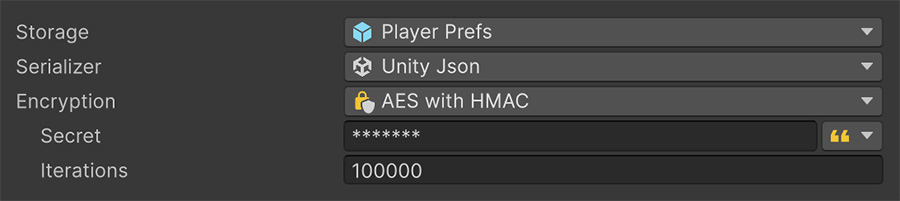
The built-in Caesar and XOR options hide the text from a casual look, but they can be reversed and can't tell when a file has changed. This module adds a third option, AES with HMAC, to the same Encryption dropdown:
| Option | A player opening the file sees | Edits to the file are |
|---|---|---|
| None | Readable values. | Not detected. |
| Caesar or XOR | Scrambled text that can be reversed. | Not detected. |
| AES with HMAC | Unreadable data. | Detected and rejected. |
Nothing else in your project changes. Your Events, Remember components, and Save Profile Instructions keep working as before, because encryption happens right before the data is written and right after it's read.
The core idea#
The module does two things to each save, and both depend on a Secret, a piece of text you choose:
| Step | Does | Protects against |
|---|---|---|
| Encrypt | Scrambles the data with AES-256. | Players reading the save. |
| Sign | Adds a signature calculated with HMAC-SHA256. | Players or disk errors changing the save. |
When the game loads a save, it checks the signature first. If the file was edited, was damaged, or was written with a different Secret, the signature doesn't match and the file is rejected.
An edited save is rejected
- A player opens a save file and changes a single character.
- The game runs Load Profile for that slot.
- The signature doesn't match, so the Console shows
Could not decrypt save data: Signature does not match. Wrong secret or tampered data.
The game carries on with no data from that file, rather than loading values the player made up.
What it can't do#
Encryption raises the cost of cheating, but doesn't stop it
If the Secret ships inside your game, a determined player can extract it and forge a valid save. That's an acceptable risk for discouraging save editing in a single-player game. If a save affects a leaderboard, a shared economy, or purchases, validate it on a server.
When to turn it on#
Keep Encryption on None while you're developing, because readable saves are easier to debug. Switch to AES with HMAC before your final round of testing, so you test what you ship. A practical configuration lays out each stage.
Try it#
- Save a game using Json File storage, then open the file and confirm you can't read it.
- Change one character in that file and load it, then look for the warning in the Console.
- Change Iterations and load the same save. It still loads.
- Change the Secret and load the same save. It's rejected.
Where to go next#
- Installation — add the module to your project.
- Encrypting saves — turn it on, choose a Secret, and learn what breaks existing saves.
- Save settings — configure storage, serialization, and load policy.